
PhotoCaptioner AI is now on the Mac App Store
After months of building, it's live. Bring your own Google Gemini key and start giving every photo in your collection a useful description.
It’s here. PhotoCaptioner AI is now available on the Mac App Store — a native macOS app that reads your photographs and writes real captions for them, then saves those words directly into each file where they belong.
What it does
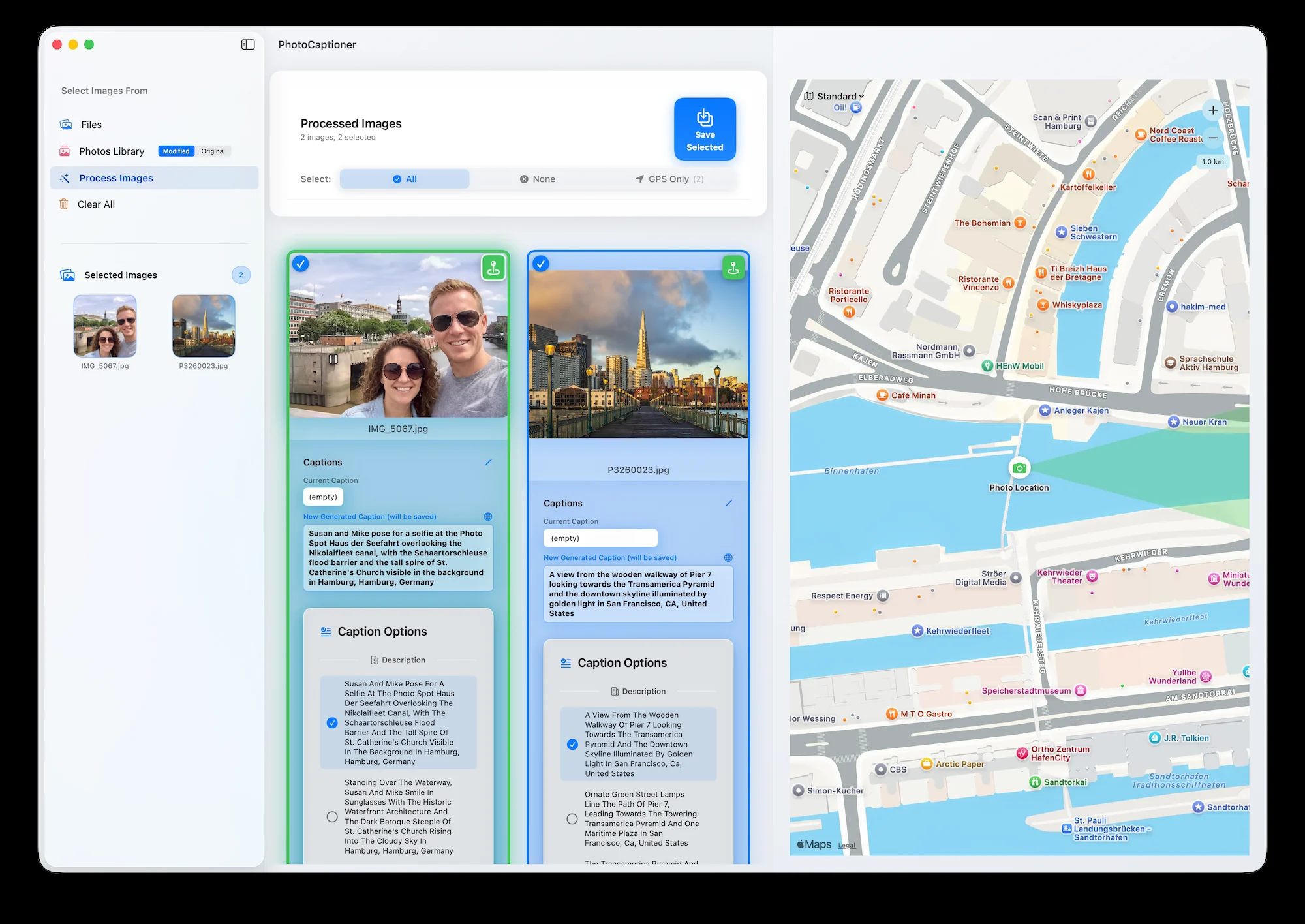
Point it at a folder or your Photos Library, and Google’s Gemini describes each image — landmarks, scenes, and the people in the frame — with a primary caption and three alternates you can edit or rewrite. When a photo carries GPS data, you’ll see exactly where it was taken on a map drawn entirely on your Mac. When you’re happy, the captions are written straight into the photo’s EXIF and IPTC metadata, saved beside your originals.
No accounts, no cloud lock-in, no subscription. Your photos are yours, and so are the words.
Bring your own key
PhotoCaptioner AI runs on your own Google Gemini API key, so you’re never paying us a monthly fee and your images never touch our servers. There’s a generous 25-photo free tier, and getting a key takes about two minutes — our step-by-step guide walks you through it.
What’s next
This blog is where new guides, tips, and update notes will land — roughly weekly. Thanks for reading, and enjoy giving your photographs their words.
PhotoCaptioner AI
Ready to caption your photo collection?
Try your first 25 captions free. Unlock Pro with one purchase—no subscription.